Call.Show vs Whatayarn
Branded podcast voicemail pages with generous recording lengths and audio uploads.
Whatayarn's Creator plan ($15/month billed yearly, $180/year) leans into multiple branded pages and long 10-minute recordings. Call.Show leans into the inbox: an AI transcript, title and summary on every message so you can skim and pick what airs, a five-person team inbox, and one flat $180/year.
Whatayarn is best for: Podcasters who want multiple branded voicemail pages and long-form recordings.
Your listeners will actually use it.
As far as your audience is concerned, the recording page is the whole product. Call.Show’s carries your cover art, one big red button and nothing to figure out: tap, talk, send.
This one is real. Go ahead and tap it, it comes to me.
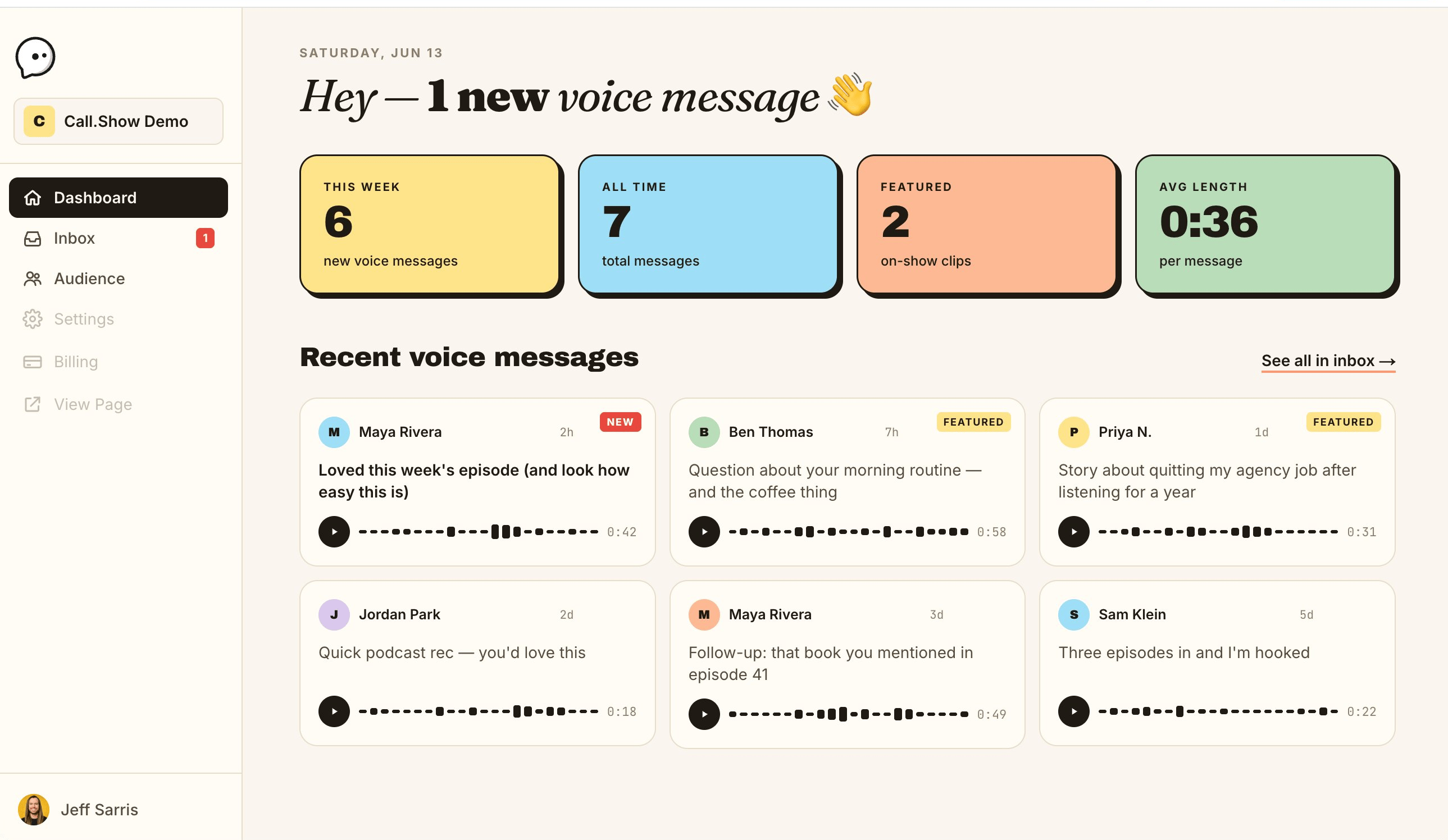
This is Call.Show. Every listener voicemail in one inbox, each with an AI transcript.
Side by side
| Feature | Call.Show | Whatayarn |
|---|---|---|
| Built for podcasts | Yes! Podcasts or any show where you want audio messages! | Yes |
| Price | $180/year, flat | Free (25 messages, 60 sec), or $15/mo billed yearly |
| Number of plans | Just one simple option | Two (Free, Creator) |
| Number of messages | Unlimited | 25 free; unlimited on Creator |
| AI transcript | Yep! | No |
| AI title and summary | Yep! | No |
| For your listeners | Tap to record up to 2 minutes, no app or account needed | Link, no app; up to 10-min recordings on Creator |
| Recording page | Yes! A beautiful page your listeners will want to use, no website or widget needed | Yes, up to 5 pages on Creator |
| Team inbox | Up to 5 users per show | Not advertised |
| Audio download | Yep! Air-ready .m4a at full capture quality | Yes (MP3 to your email) |
| Website widget | Yep! Integrate with your website! | Link-first; widget not advertised |
| Grows your email list | Automatically capture email subscribers via Kit (coming soon) | No |
Facts about Whatayarn verified 2026-08-18 on whatayarn.com. Call.Show details are current.
Where Whatayarn is stronger
- Recordings up to 10 minutes on Creator vs Call.Show's 2
- Up to five separate voicemail pages on one account
- Senders can upload an audio file instead of recording live
If those are your must-haves, Whatayarn is a fine choice. I only want you here when Call.Show is genuinely the better fit.
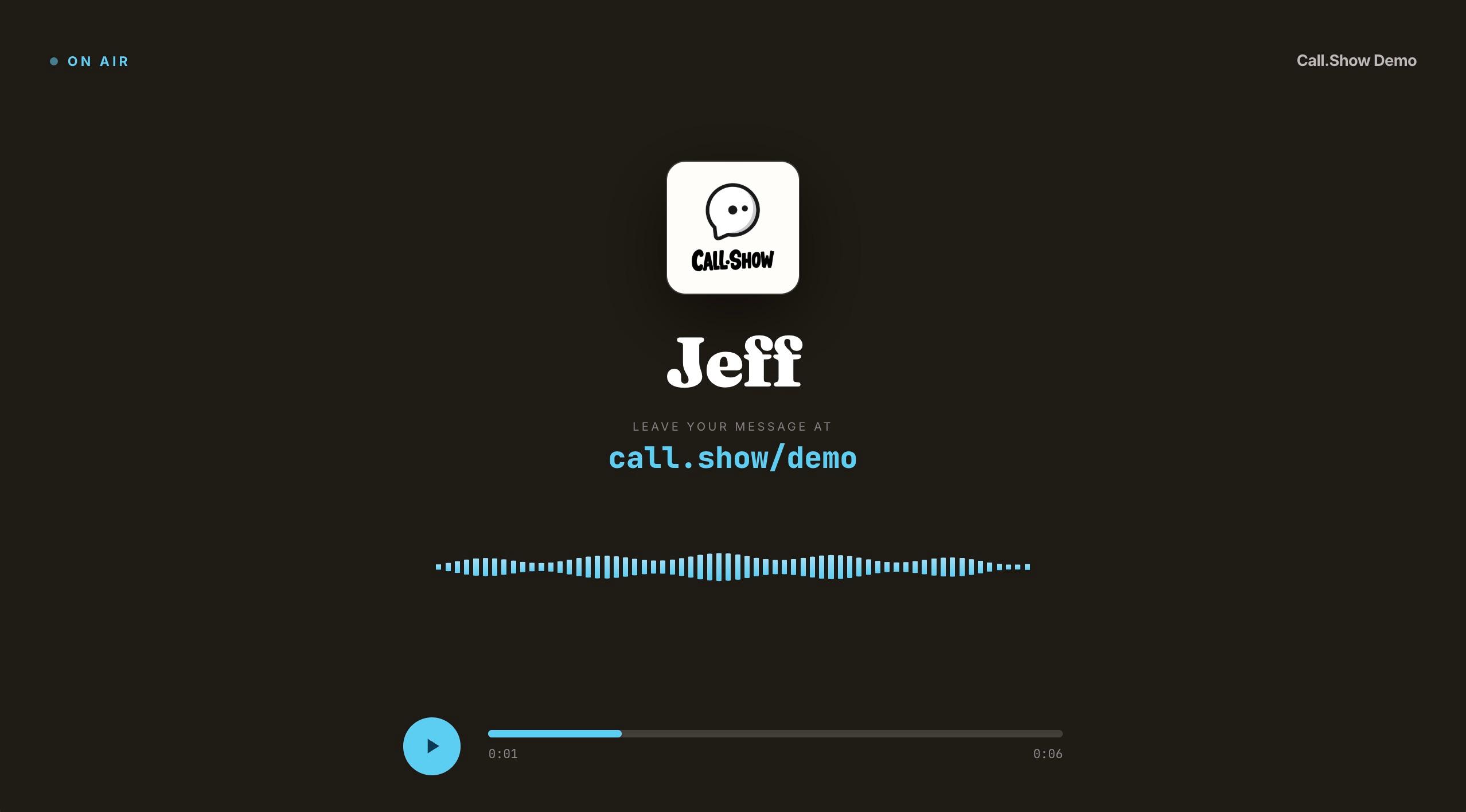
Play callers on screen, live.
Call.Show messages don’t just sit in an inbox. Open any one on a 16:9 stage with the caller’s name, your cover art, and a live waveform. Screen-share it in Riverside, Zoom, or any recorder and your video audience sees the call as it plays. Whatayarn gives you the audio. Call.Show gives you the moment on screen.
Built for the show, not the spreadsheet.
Questions
Is Call.Show a good Whatayarn alternative?
Yes. Both are podcast-first voicemail tools. Whatayarn emphasizes multiple branded pages and long recordings at $180/year; Call.Show emphasizes an AI transcript, title and summary on every message plus a shared team inbox, at a flat $180/year.
How much does Call.Show cost?
One flat price: $180 per year per show. Unlimited voice messages, AI transcript, title and summary on every message, a shared inbox for up to five people, and email notifications. No free tier, no usage tiers, no per-message fees. Cancel anytime.
Do I need WAV files for broadcast quality?
Not from a voicemail tool. Every tool in this category records in the listener's browser, and browsers capture compressed audio (Opus or AAC) on an ordinary phone or laptop mic. That capture, not the export format, is the quality ceiling. A “WAV” export is usually the same compressed capture in a much bigger file. Call.Show's .m4a download carries the full quality of what the browser recorded and drops straight into any editor; if a legacy workflow strictly needs a .wav container, converting the .m4a takes seconds and loses nothing from the source.
Give your podcast a voice.
One link, unlimited voice messages, AI transcripts and summaries. $180 a year. Cancel anytime.