Put your listeners
on the show.
Call.Show is voicemail for podcasts: a beautiful link where anyone can leave you a voice message. Nothing to download. They tap, record, and send, and their voice lands in your inbox, transcribed and summarized.
Bring the calls back.
Fewer people call in now. It’s not that they have nothing to say. It’s that no one wants to give out their phone number, even to a show they love. And no one wants to record a memo, find the file, and email it. I don’t. You don’t. Your listeners don’t.
So they tap one big red button, talk, and hit send. The message is in before you ask them anything. Name and email come after, only if they want.
Tap. Talk. Sent.
Leave me one now at call.show/demo →Recording remotely in Riverside or Zoom? Open a message on this player and press play while you record. Your guests hear the caller and react in the moment, and your video shows who is talking: their name, your cover art, and a waveform moving with their voice. The call is in the episode as it happens, with nothing to drop in afterward.
Three steps.
Share your link
Drop call.show/yourshow in your show notes, bio, or anywhere.
They tap, they talk
They press the big red button and leave a message up to two minutes. Zero friction.
You get a voice message
In your inbox with an AI transcript, title, and summary, ready to play, archive, or feature.
Every message, transcribed.
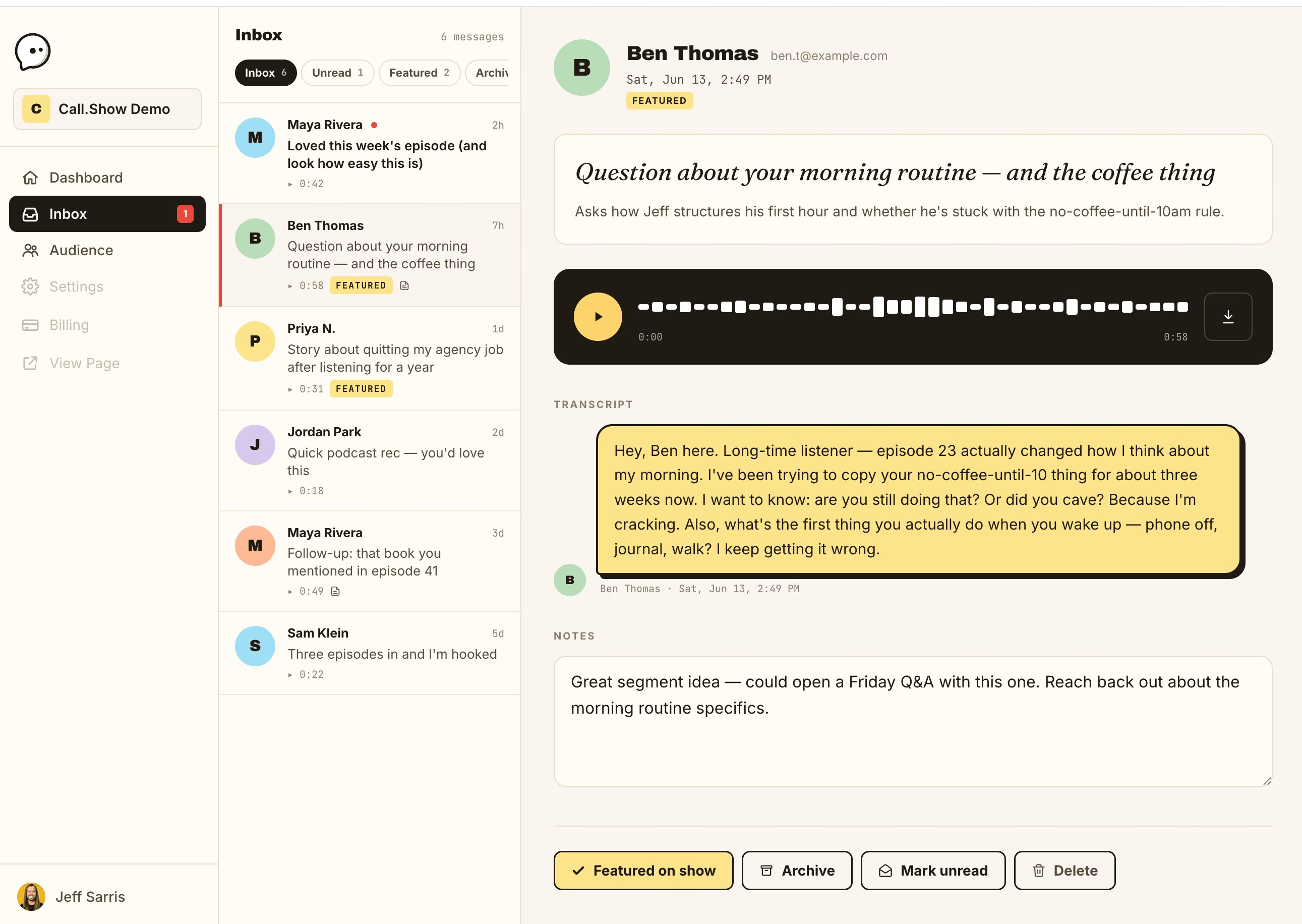
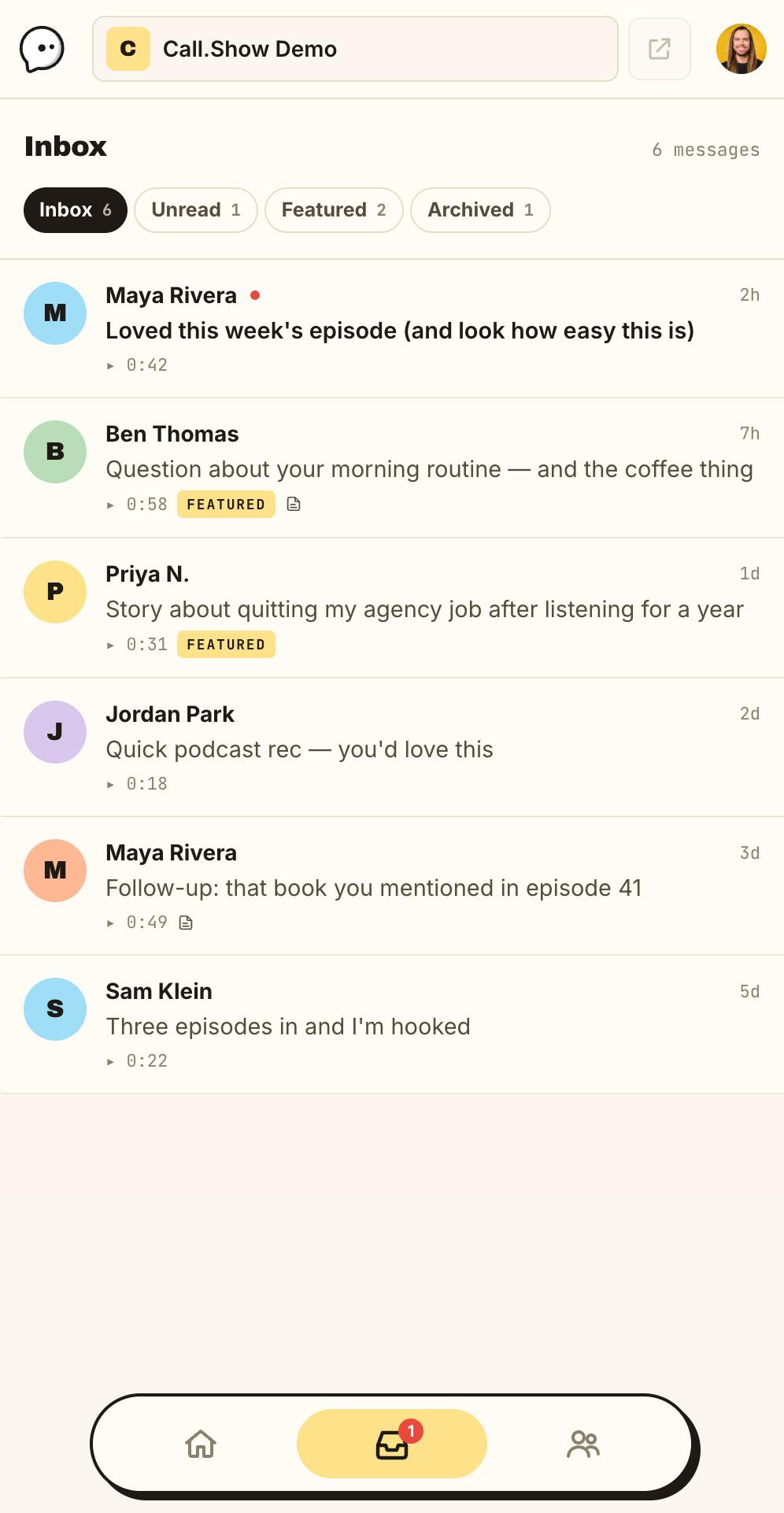
Skim voice messages like email. Each one arrives with an accurate transcript and a one-sentence summary, so you can decide in seconds whether to play it, archive it, or feature it.
- Accurate transcript on every message
- AI title that says what it's about
- One-sentence summary so you can skim
Play callers on screen.
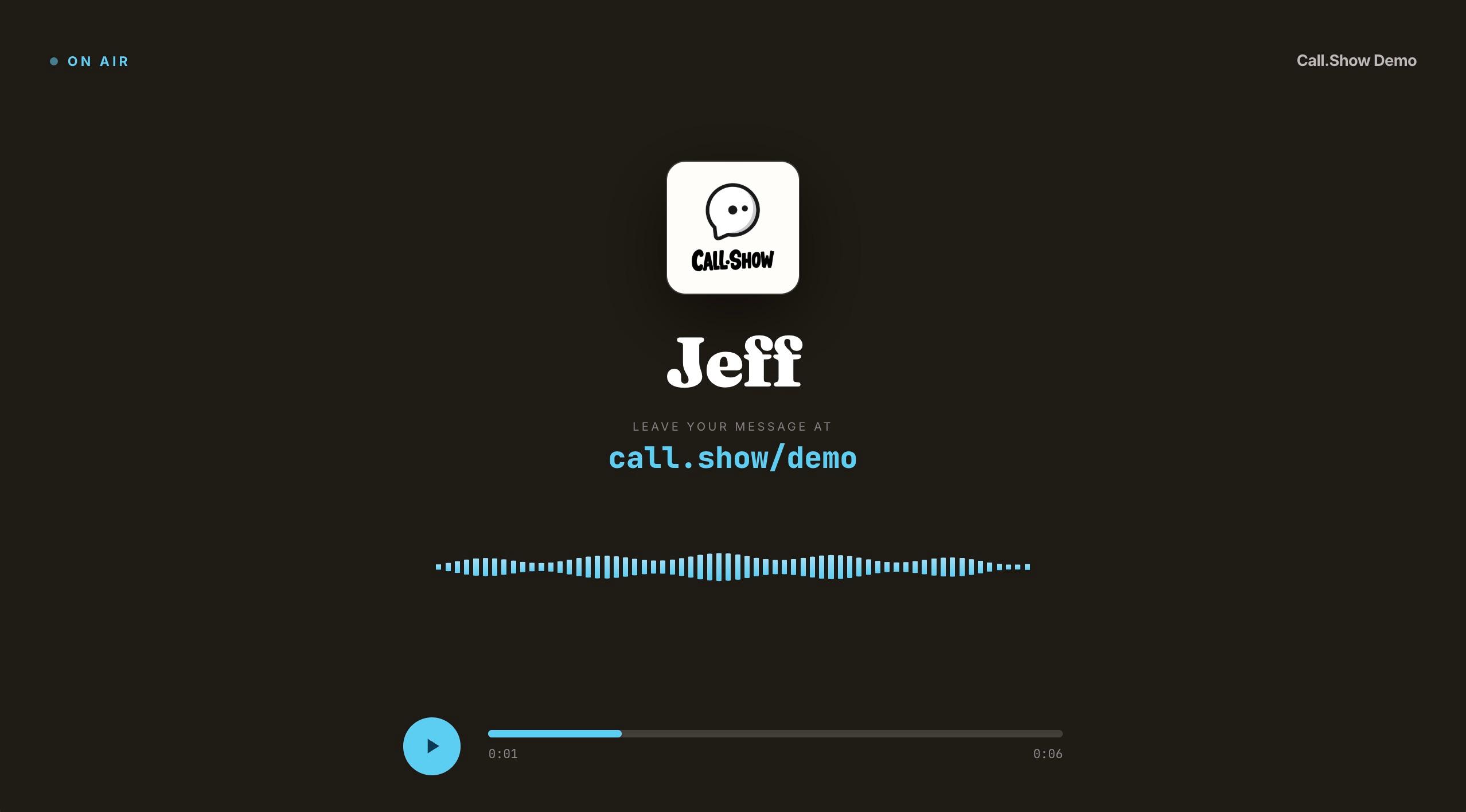
Open any message on a full, clean 16:9 stage. Screen-share just that window in Riverside, Zoom, or whatever you record in, and your guests and video audience watch the call play in real time. No overlay to build, no editing after.
- One click from any message in your inbox
- Full-bleed 16:9. Share the window, nothing else
- Caller's name, your cover art, and a live waveform
Your whole show, one calm inbox.
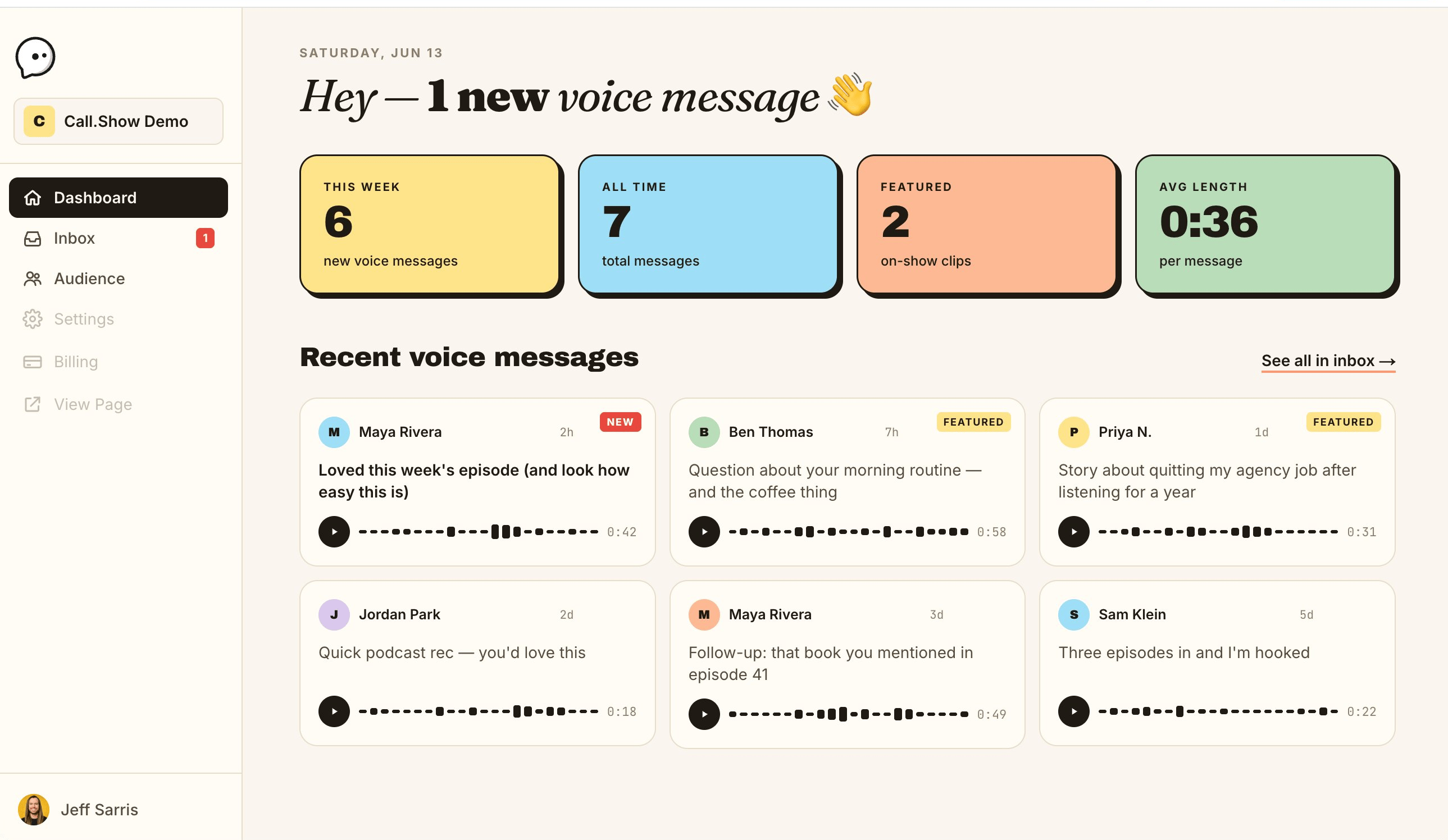
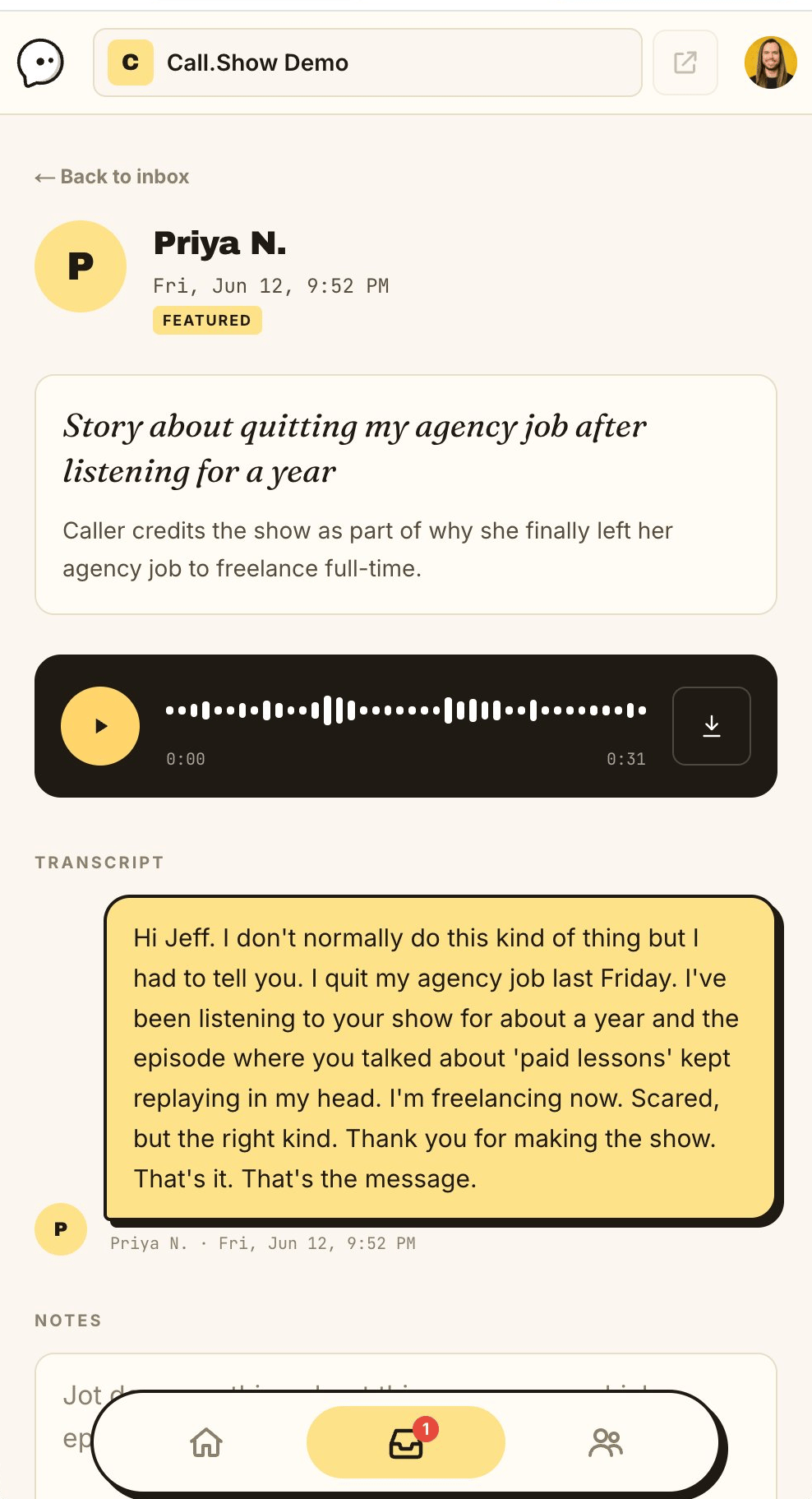
Play each voice message, read the AI transcript, feature the best ones on your show, and get to know the people behind the voices.
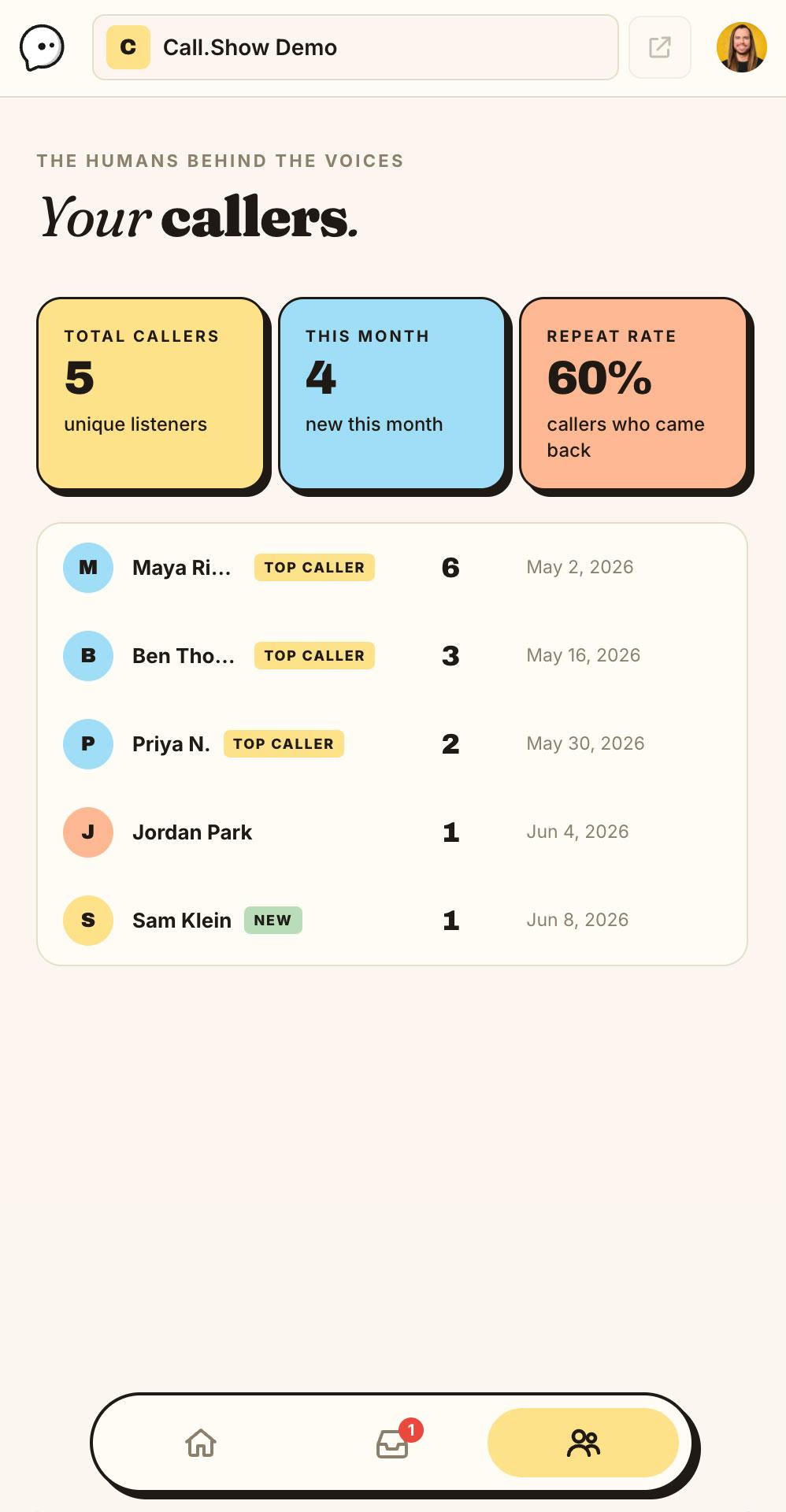
Runs in your pocket, too.
The same inbox on your phone: play a message, read the transcript, and reply from wherever you are.
In very good company.
Shows you already listen to collect their listener voicemails with Call.Show.

The Minimalists Podcast
Emmy-nominated Netflix stars and New York Times bestselling authors, taking listener calls about living with less at their call.show line.

Kidney Stone Diet
Nurse Jill Harris answers patient questions on air, pulled straight from the voicemails her listeners leave.
Your show next.
Get your page live in the next five minutes, share it tonight, and wake up to real voices tomorrow.
One link, so many ways to use it.
Here’s what hosts do with theirs:
Listener Q&A
Take questions in your audience’s own voice and answer them on air.
Testimonials & shout-outs
Collect heartfelt messages and play the best ones at the top of the show.
Call-in segments
Build a recurring voicemail segment your listeners race to be featured on.
Listener stories
Let people share the story only they can tell, in their own words.
Real feedback
Hear what actually landed, tone and all, not just a star rating.
Guest & pitch intake
Let would-be guests or sponsors introduce themselves by voice.
Made for podcasts, priced like it.
- Storage caps that stop receiving when full
- Transcripts cost extra, and no titles or summaries
- Tiered monthly pricing that climbs as you grow
- General-purpose tools bent to fit a podcast
- A generic widget your listeners have to work through
- Sometimes an app or account for your listeners
- Unlimited voice messages, always on
- AI transcript, title & summary on every message
- One flat $180/year, no tiers or per-message fees
- Podcast-first, from the recording page in
- A recording page you'll be proud to link to
- Listeners tap, record, send. Nothing to download
One plan.
No tiers to compare. No “contact sales”. Just a fair flat rate.
- Unlimited voice messages
- AI transcript, title & summary
- Email notifications for every message
- Custom call.show link
- Newsletter opt-in synced to Kit (coming soon)
What is Call.Show?
Call.Show is voicemail for podcasts. You get a personal call.show link; listeners tap one button to leave a voice message up to two minutes, and it lands in your inbox with an AI transcript, title, and summary, ready to play on air.
How is Call.Show different from SpeakPipe or Telbee?
Same core idea, a recording link that collects listener voice messages, but Call.Show is built for podcasters with one flat price ($180/year, no message caps or per-minute fees), AI transcripts, titles and summaries on every message, a shared team inbox for up to five people, and a beautiful one-tap recording page. Your listeners just tap, record, and send.
How is Call.Show different from Podline?
Podline is the closest tool to Call.Show. Both transcribe and summarize every listener message. The differences: Podline's paid plans run $240 to $600 per year per creator, while Call.Show is $180 per year flat and includes a shared inbox for up to five people. Podline adds webhooks and listener threading if you need those. Full comparison at call.show/vs/podline.
Is there a free plan?
No, and that's deliberate. One flat $180/year is the whole pricing model: no caps, no tiers, no upsells. The free plans in this category are capped teasers (90-second limits, 10-message inboxes, storage caps) designed to move you onto monthly plans that cost $144 to $600 a year. I'd rather charge one fair price and give you everything.
Can listeners record from their phone?
Yes, the page is mobile-first. One tap to record, nothing to install.
Can I get consent to play a message on my show?
Of course! All listeners consent to your using their audio before sending their message.
What happens to voicemails I don't use?
They sit in your inbox until you archive them. Nothing is auto-deleted while your subscription is active.
Can I cancel anytime?
Yes. Cancel from settings and keep access until your term ends. After cancellation there's a 30-day grace window where you can still log in to download messages or resume the subscription.
Is this just for big shows?
Nope. Indie shows, established shows, newsletter podcasts. Call.Show is built for anyone who wants to hear back from their audience, not chase download counts.
Can I download messages?
Yes. Each message has a download button that saves the audio as an .m4a file, with the transcript and AI summary visible alongside in the inbox so you can copy them out.
Do I need WAV files for broadcast quality?
Not from a voicemail tool. Every tool in this category records in the listener's browser, which captures compressed audio (Opus or AAC) from a phone or laptop mic. The capture, not the export format, is the quality ceiling. Call.Show's .m4a download carries the full quality the browser recorded and drops straight into any editor.
Does Call.Show work with my podcast host?
Yes. Call.Show is independent of your hosting. Whether you're on Buzzsprout, Transistor, Libsyn, Podbean, Spotify or anywhere else, your call.show link works the same. And it stays with you if you ever switch hosts.

Hi, I’m Jeff!
Call.Show is made by one person, me! (Jeff Sarris) There’s no team, no investors, no AI support agent that sounds frustratingly nearly human.
When you reach out via call.show/demo, your message lands in my ears and my reply lands in your inbox! Curious who I am? The longer story is here.
Your next episode starts with a hello.
Get a recording page live in the next 5 minutes. Share it tonight. Wake up to real voices tomorrow.